


Hey there! As a supplier of inspection machines, I've seen my fair share of common problems that users run into. In this blog, I'll walk you through how to troubleshoot these issues so you can keep your inspection machine running smoothly.
1. Machine Not Powering On
One of the most basic yet frustrating problems is when the inspection machine won't power on. First things first, check if the power cord is properly plugged into both the machine and the electrical outlet. Sounds simple, but you'd be surprised how often this is the culprit.
If the cord is plugged in correctly, take a look at the power switch on the machine. Sometimes, it can get accidentally turned off. Make sure it's in the "on" position.
Another thing to check is the circuit breaker. If the breaker has tripped, it could be due to a power surge or an electrical short in the machine. Reset the breaker and see if the machine powers on.
If none of these steps work, it might be an issue with the power supply unit inside the machine. At this point, it's best to contact a professional technician to take a look.
2. Poor Image Quality
A common problem with inspection machines is poor image quality. This can make it difficult to accurately inspect the items. If you're using a Glass Plate Inspection Machine, for example, a blurry or distorted image can lead to incorrect readings.
First, check the camera lens for any dirt or smudges. Clean the lens gently with a soft, lint-free cloth. Sometimes, just a little bit of dust can affect the image quality.
Next, make sure the lighting is set up correctly. Insufficient or uneven lighting can cause shadows and make the image appear grainy. Adjust the lighting sources around the inspection area to ensure even illumination.
If the problem persists, it could be an issue with the camera settings. Check the resolution, focus, and exposure settings to make sure they're optimized for the type of inspection you're doing.
3. Incorrect Inspection Results
Getting incorrect inspection results can be a major headache. This could be due to a variety of factors.
First, check if the inspection parameters are set correctly. Every inspection machine has different settings for things like size, shape, and color. Make sure these settings match the specifications of the items you're inspecting.
If you're using a Silver Contact Visual Inspection Machine, for example, you need to set the correct parameters for detecting defects in silver contacts.
Another possible cause of incorrect results is calibration issues. Over time, the machine's sensors and cameras can become misaligned or lose accuracy. You should regularly calibrate the machine according to the manufacturer's instructions.
If you've checked all these things and are still getting incorrect results, it might be a problem with the software. Try restarting the machine and the software to see if that resolves the issue. If not, contact the software support team for further assistance.
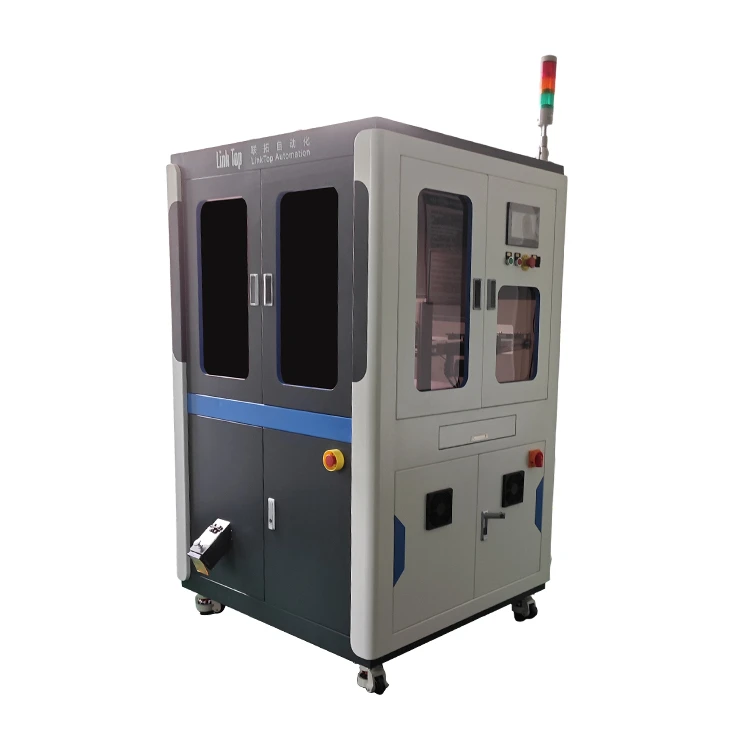

4. Mechanical Jams
Mechanical jams can occur in inspection machines, especially those with moving parts. If you're using a Button Sorting Machine, for example, buttons can get stuck in the sorting mechanism.
The first step is to turn off the machine and unplug it to avoid any potential injuries. Then, carefully inspect the area where the jam occurred. Look for any objects that might be blocking the movement of the parts.
If you can see the object causing the jam, try to remove it gently using a pair of tweezers or a small tool. Be careful not to damage the machine while doing this.
Once the object is removed, check the moving parts to make sure they're not damaged. You can also lubricate the parts if necessary to prevent future jams.
5. Software Glitches
Software glitches can cause all sorts of problems with an inspection machine. You might experience freezing, crashing, or error messages.
If you encounter a software glitch, try restarting the machine and the software. Sometimes, a simple restart can fix the issue.
If the problem persists, check if there are any software updates available. Manufacturers often release updates to fix bugs and improve performance. Install the latest update and see if that resolves the problem.
If the glitch is still there, try running a diagnostic test on the software. Most inspection machines have built-in diagnostic tools that can help identify the source of the problem.
6. Communication Issues
If your inspection machine is connected to a computer or other devices, you might run into communication issues. This can prevent the machine from sending or receiving data correctly.
First, check the cables connecting the machine to the other devices. Make sure they're properly plugged in and not damaged.
If you're using a wireless connection, check the network settings. Make sure the machine is connected to the correct network and that the signal strength is strong.
If the communication problem persists, try resetting the network settings on both the machine and the connected devices. You can also try restarting the router to see if that helps.
Conclusion
Troubleshooting common problems of an inspection machine can be a bit of a challenge, but with the right approach, you can usually resolve the issues quickly. Remember to always follow the manufacturer's instructions and safety guidelines when working on the machine.
If you're still having trouble with your inspection machine after trying these troubleshooting steps, don't hesitate to reach out to us. We're here to help you get your machine up and running again. Whether you need a new Glass Plate Inspection Machine, Silver Contact Visual Inspection Machine, or Button Sorting Machine, or just need some technical support, we've got you covered. Contact us to discuss your needs and start a procurement conversation.
References
- Manufacturer's manuals for inspection machines
- Industry best practices for troubleshooting inspection equipment


